
How to Clean a Television Screen might seem simple, but doing it the wrong way can cause permanent damage. Many people don’t realize that using the wrong cleaners or tools can scratch, streak, or even ruin the display. Modern TVs—like LED, OLED, and LCD screens—are more sensitive than older glass screens.
That’s why it’s important to know the right methods, products, and techniques for cleaning. Whether you have a brand-new 4K TV or an older model, this guide covers everything you need to keep your television looking its best. You’ll learn not only how to clean without causing harm, but also how to keep your screen clear of fingerprints, dust, and smudges for longer.
A clean screen makes watching TV more enjoyable. You see sharper images and brighter colors. But even more important, proper cleaning keeps your television working well for years. Many people rush the cleaning process or use whatever is nearby, but this can cause problems that are expensive or impossible to fix.
By following the right steps, you can save money and protect your TV. This guide also gives tips on cleaning the frame, remotes, and surrounding area, so your entire entertainment setup looks as good as new.
Why Proper Cleaning Matters
A clean television screen does more than just look good. Dust, fingerprints, and smudges can affect your viewing experience. Brightness, sharpness, and even color accuracy can suffer when dirt builds up. For families with children or pets, screens get messy quickly—sometimes daily.
Using the wrong products can make things worse, leading to streaks, scratches, or cloudy patches.
A dirty screen might not only distract you while watching your favorite show, but can also hide small cracks or defects. Over time, dust can even work its way into the edges of the screen, potentially causing technical problems. If you let dust and grime sit for too long, some stains can become permanent, especially on sensitive screens.
Many owners think any glass cleaner or paper towel will do. But today’s screens are made with delicate coatings that need gentle care. Harsh chemicals can break down these coatings over time, reducing the lifespan of your TV. Cleaning with care not only keeps your screen beautiful but also protects your investment.
Another overlooked point: when dust collects on your screen, it can also attract more dust due to static electricity. This makes your cleaning job harder over time if you don’t stay on top of it. And if you have allergies, a dusty screen can actually affect air quality in the room.
Understanding Your Television Screen Type
Before you start, it’s crucial to know what kind of screen you have. Different TVs need different approaches.
| Screen Type | Characteristics | Cleaning Cautions |
|---|---|---|
| LCD/LED | Thin, lightweight, anti-glare coating | Prone to scratches, avoid strong chemicals |
| OLED | Ultra-thin, flexible, deep blacks | Highly sensitive surface, no alcohol/ammonia |
| Plasma | Glass front, heavy, richer colors | Somewhat sturdier, but avoid ammonia |
| CRT | Thick glass, older models | Can use glass cleaner, but still avoid abrasives |
If your TV is a newer model, it is likely an LCD, LED, or OLED. These are especially easy to scratch or damage with the wrong product. Plasma TVs are less common today, but their glass surface can be deceiving—never use regular glass cleaner unless you know it’s safe.
CRT screens, which are much older, can usually handle standard cleaners, but abrasive pads should still be avoided.
Tip: If you’re unsure, check your TV’s manual or manufacturer’s website for cleaning instructions. Some brands, like Sony or Samsung, offer detailed cleaning advice for their models, often available as downloadable PDFs.
What You Need: Safe Cleaning Supplies
Choosing the right tools is half the battle. Here’s what you should (and shouldn’t) use:
Recommended Items
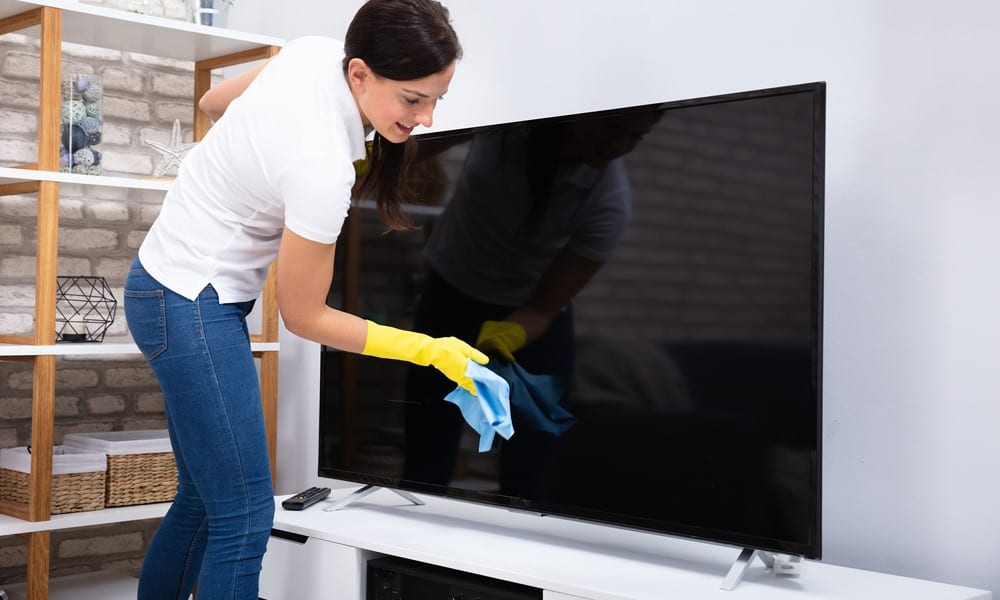
- Microfiber cloths – The best choice for cleaning. They trap dust without scratching. Buy several so you always have a clean one ready. Microfiber is also washable and reusable, making it eco-friendly.
- Distilled water – Leaves no mineral spots or streaks. Tap water can leave behind visible marks or even encourage mold growth at the edges of the screen.
- Screen-safe cleaning solution – Many brands make special sprays for electronics. Look for “screen-safe” or “for electronics” on the label.
- Compressed air – For blowing dust from corners and ports. Always use short bursts and hold the can upright to prevent moisture from coming out.
- Cotton swabs – For cleaning tight spaces or the edges. They’re helpful for cleaning around the power button or in the corners where dust collects.
Avoid These Products
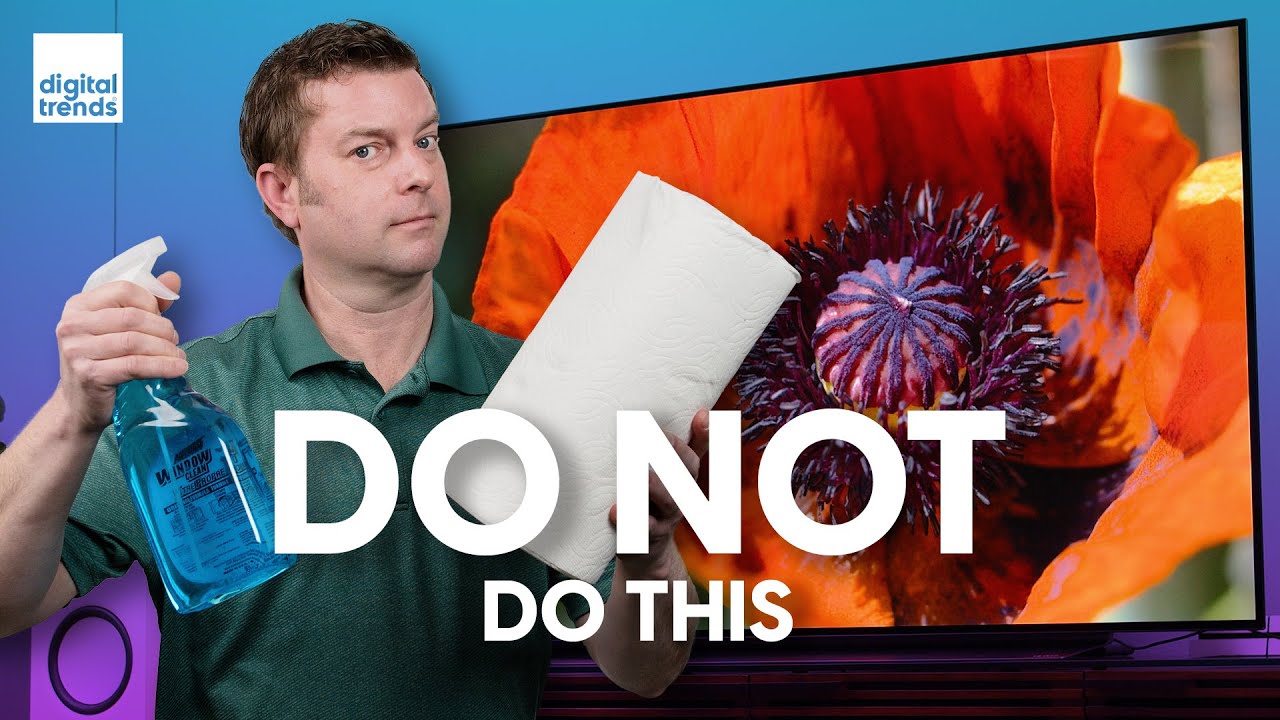
- Paper towels – Can scratch or leave lint. Even soft-seeming paper towels are too rough for modern TV screens.
- Tissues or napkins – Too rough for delicate surfaces and often shred, leaving behind fibers.
- Regular glass cleaner – Often contains ammonia or alcohol. These can damage anti-glare coatings and cause permanent cloudiness.
- Household sprays – May contain strong chemicals that damage coatings. Many all-purpose sprays are designed for hard surfaces, not delicate electronics.
- Excessive water – Can drip and seep into the screen, causing electrical issues. Water inside your TV can cause short circuits and costly repairs.
Most beginners overlook that tap water can leave white spots due to minerals. Always use distilled water when making your own cleaning solution.
Extra tip: Keep your cleaning supplies in a small bin near your TV setup. This makes it easier to stick to the proper tools every time.
Step-by-step: How To Clean Your Television Screen
Follow these steps for a spotless, streak-free screen every time.
1. Turn Off And Unplug The Tv
Always switch off and unplug your TV before cleaning. A dark screen makes dirt and smudges easier to see. Unplugging also prevents electric shock and lets the screen cool down.
Some screens, especially OLED, can become slightly warm after use. If you try to clean while the screen is warm, cleaning solutions may dry too quickly, leading to streaks or uneven patches.
2. Remove Loose Dust
Use a dry microfiber cloth to gently wipe the screen. Start at the top and move in straight, horizontal lines. Do not apply pressure—let the cloth do the work. For corners or tight spaces, use compressed air or a cotton swab.
If your TV is mounted on a wall, it can be tricky to reach the top and sides. Use a gentle hand and avoid bumping the TV. If your TV is large, support it gently with your free hand so you don’t accidentally tilt or move it.
3. Tackle Smudges And Fingerprints
If dry wiping isn’t enough:
- Lightly dampen your microfiber cloth with distilled water or a screen-safe spray. Never spray directly onto the screen.
- Wipe gently in circular motions. This helps prevent streaks and gets rid of fingerprints more effectively.
- For stubborn spots, hold the damp cloth on the area for a few seconds before wiping. If needed, use a new, clean section of the cloth for each pass to avoid spreading dirt.
Warning: Applying too much pressure can damage the screen, especially with OLED and LED TVs. It’s better to go slow and repeat gentle wipes than try to scrub a stubborn mark away.
4. Clean The Frame And Stand
The frame collects dust, too. Use a separate cloth, slightly dampened if needed. Avoid getting moisture into speaker holes or ports.
For TVs with textured plastic frames, a dry brush or a slightly damp cloth works well for removing sticky dust. Don’t forget to clean the TV stand or base, especially if it’s close to the ground.
5. Dry And Polish
With a fresh, dry microfiber cloth, gently buff the screen to remove any leftover moisture and polish for clarity. This step helps prevent streaks.
Some people skip this, but it’s essential for a spotless finish. Use gentle, straight-line motions for best results.
6. Let The Screen Air Dry
Wait a few minutes before plugging the TV back in. This ensures all moisture has evaporated.
Non-obvious insight: Even a small amount of leftover moisture can cause streaking or, in rare cases, damage internal electronics if it seeps into the screen’s edge. If you accidentally get too much liquid on the screen, use a dry cloth immediately and let the TV air out longer.
Mistakes To Avoid When Cleaning a TV Screen
Many people make simple errors that can ruin their screen. Here’s what to watch for:
- Using paper towels or tissues: These can leave scratches you’ll see every time the screen is on.
- Spraying cleaner directly on the screen: Liquid can drip into the TV’s frame, damaging components.
- Using alcohol or ammonia: These chemicals strip away anti-glare coatings.
- Cleaning while the TV is hot: A warm screen evaporates liquid quickly, leading to streaks.
- Applying too much pressure: Pressing hard can cause pixels to die or create permanent marks.
Example: A common mistake is cleaning right after watching a show. The screen is still warm, so the cleaner dries unevenly, causing streaks that are hard to remove.
Another mistake is using the same cloth for multiple surfaces. If you use a cloth that’s already dirty or dusty from another job, you risk scratching your screen or spreading oils.
Extra tip: Never use window or bathroom cleaners, even if they claim to be streak-free. These are made for glass, not electronic screens.
Homemade Screen Cleaner: Safe Diy Options
If you prefer making your own solution, here’s a safe recipe:
- Mix equal parts distilled water and white vinegar.
- Pour into a spray bottle.
- Always spray onto your cloth, not the screen.
Why distilled water? Tap water leaves mineral spots; vinegar cuts grease without harming coatings.
Alternative: Some people use a 70:30 mixture of distilled water and isopropyl alcohol (70% or less) for stubborn grime. However, always check your TV’s manual—some brands warn against alcohol.
If you try a DIY cleaner for the first time, test it on a small, hidden corner of the frame before cleaning the full screen. This way, you can be sure it won’t cause damage or streaks.
Non-obvious insight: Even natural ingredients like vinegar or alcohol can be too strong for some screens. Always use the weakest solution possible and increase the strength only if needed.
How Often Should You Clean Your TV Screen?
Frequency depends on your environment:
- Weekly: If you have kids, pets, or live in a dusty area.
- Every 2-3 weeks: For most homes.
- Monthly: If your TV is rarely touched and the room is clean.
Non-obvious insight: Over-cleaning can wear down protective coatings. Wipe only when you see visible dirt or smudges.
It’s better to dust lightly more often than to do deep cleaning with liquids all the time. The more often you touch your screen, the faster you’ll wear out its surface. If you don’t see smudges or dust, it’s perfectly fine to wait longer between cleanings.
Cleaning Smart TVs, Touchscreen, And Special Surfaces
Smart TVs, touchscreens, and high-end models have special needs.
Smart Tvs
Treat these like regular LED/LCD/OLED screens. Avoid cleaning the ports, cameras, or microphones with liquids. Use compressed air for these areas.
If your TV has voice control or facial recognition, clean those sensors gently with a dry microfiber cloth to keep them working well.
Touchscreen Tvs
Fingerprints build up quickly. Use only screen-safe sprays and soft microfiber cloths. Touchscreens are extra sensitive—never use alcohol or vinegar unless manufacturer-approved.
Repeated cleaning with the wrong products can make the touchscreen less responsive. Some touchscreens have a special coating to reduce fingerprints—avoid anything abrasive that could remove this layer.
Anti-glare Or Matte Coatings
These can show streaks more easily. Always buff with a dry cloth after damp cleaning.
If your TV is used in a bright room, the anti-glare layer is important. Damaging it can make watching TV during the day much harder.
How To Clean TV Remotes And Surrounding Areas
A clean screen is only part of the story. Remotes and entertainment centers also need care.
Cleaning Your Remote
- Remove batteries before cleaning.
- Use a slightly damp cloth with a mild soap solution.
- Clean around buttons with a cotton swab.
- Dry thoroughly before replacing batteries.
If your remote is sticky or oily, you can use a tiny amount of rubbing alcohol on a cotton swab, but keep it away from inside the battery compartment.
Dusting The Entertainment Area
Dust collects around your TV, affecting air quality and even the TV’s cooling system. Wipe down shelves, stands, and nearby electronics every week.
If you have game consoles, speakers, or streaming boxes, dust them as well. Dust buildup can block vents and cause overheating.
Comparing Screen Cleaning Methods
Here’s a quick look at different cleaning methods and their pros and cons:
| Method | Effectiveness | Risk of Damage | Best For |
|---|---|---|---|
| Dry Microfiber Cloth | Good for dust, light smudges | Very low | All screens |
| Distilled Water + Cloth | Excellent for most dirt | Low (if not too wet) | All modern TVs |
| Screen-safe Spray | Best for fingerprints | Very low | High-end TVs, touchscreens |
| Household Glass Cleaner | Good for old CRTs | High for modern screens | CRT TVs only |
| Paper Towels | Removes dirt, but scratches | High | Not recommended |
If you are not sure which method is best, start with the dry microfiber cloth. You can always use a damp cloth if you need more cleaning power.
What To Do With Stubborn Stains
Sometimes, you’ll find sticky spots or marks that won’t come off easily.
- Dampen a microfiber cloth with a screen-safe solution.
- Place the cloth over the stain for 30 seconds.
- Gently rub in a circular motion.
- Repeat if needed, but never scrub hard.
For sticky residue (like tape or food), use a mixture of distilled water and a tiny drop of mild dish soap. Wipe again with a clean damp cloth to remove soap.
If you have a mark that just won’t budge, don’t increase pressure. Instead, try a new clean section of your cloth or a fresh cloth altogether. Sometimes, changing the angle of your wipe can help remove a stubborn spot.
Avoid using fingernails or sharp objects—these can permanently damage the screen.
If the stain remains after a few gentle tries, it’s best to leave it or consult a professional to avoid making it worse.
How To Prevent Screen Dust And Smudges
Prevention is easier than frequent cleaning. Here’s how to keep your TV clean longer:
- Keep windows closed: Reduces dust.
- Use an air purifier: Removes dust and pet dander.
- No touching: Teach kids not to touch the screen.
- No cleaning sprays in the room: Aerosol sprays settle on the TV.
- Wipe nearby furniture regularly: Less dust lands on your TV.
Did you know? Even static electricity from carpets and electronics attracts dust to your screen.
You can also position your TV away from vents or open windows to reduce dust exposure. In homes with pets, vacuum and dust often to keep fur and dander off your electronics.
Pro tip: If you must touch the screen for setup or moving, wear clean cotton gloves to avoid fingerprints.
How Professional Cleaners Handle TV Screens
Professional cleaners use strict methods:
- Only high-quality microfiber cloths
- Screen-safe sprays, never regular cleaners
- Gloves to avoid fingerprints
- Careful wiping from top to bottom in straight lines
They also check for loose connections or damage before starting. If you hire a cleaning service, always ask about their process.
Professionals may use special anti-static cloths to help repel dust longer. They will often clean not just the screen, but also the frame, stand, and surrounding electronics, making sure everything looks polished.
Cleaning Tips For Public Or Office TVs
Shared TVs in waiting rooms, hotels, or offices get dirty fast.
- Clean daily with a dry cloth.
- Wipe with a screen-safe spray at least once a week.
- Use signs or reminders to avoid people touching the screen.
- Assign responsibility to staff for regular checks.
Non-obvious insight: Office cleaners often use the same cloths for all surfaces—insist on dedicated cloths for screens to avoid cross-contamination.
In public spaces, screens may be exposed to sticky fingers, coughing, and sneezing. Regular cleaning helps prevent the spread of germs and keeps the screen looking good for all users.
Environmental And Health Considerations
Cleaning solutions can affect indoor air quality. Choose non-toxic, low-odor products. For homes with allergies, use fragrance-free options. Microfiber cloths are reusable and eco-friendly—just wash them regularly.
Fact: One study found that microfiber cloths remove over 99% of bacteria and dust with just water, making them a healthy choice for families.
If you’re concerned about waste, avoid disposable wipes. Instead, use washable cloths and refillable spray bottles. This approach is better for the planet and saves money.
Buying Guide: Choosing The Right Cleaning Products
With So Many Options, What Should You Look For?
Key Factors
- Label: Should say “screen-safe,” “for electronics,” or “for LCD/OLED.”
- Ingredients: No ammonia, alcohol, or strong solvents.
- Packaging: A spray bottle is best for even application.
Some cleaning kits come with extra cloths or travel-size bottles for convenience. If you have multiple screens at home, consider buying a larger bottle or a kit.
Popular Brands
- Whoosh!
- Screen Mom
- EcoMoist
- Endust for Electronics
Budget tip: Multi-packs of microfiber cloths are cheap and last for years.
Some brands also offer wipes, but sprays with microfiber cloths tend to last longer and do a better job on tough smudges.
Comparison Of Top-selling Screen Cleaning Products
Here’s a quick comparison of some popular products:
| Brand | Type | Safe for All Screens | Average Price (USD) |
|---|---|---|---|
| Whoosh! | Spray + cloth | Yes | $15 |
| Screen Mom | Spray + cloth | Yes | $12 |
| EcoMoist | Spray only | Yes | $10 |
| Endust | Spray + wipes | Yes | $9 |
Pro tip: For most homes, a bottle of screen-safe spray and a set of microfiber cloths is all you need for years of clean, clear viewing.
When To Call For Professional Help
If you notice:
- Colored lines or spots after cleaning
- Water inside the frame or ports
- The screen won’t turn on
Stop cleaning and contact the manufacturer or a professional. Trying to fix these yourself can void your warranty.
Some repair shops offer cleaning services for delicate or high-end TVs. If your TV is still under warranty, call the brand’s helpline before trying any repairs or deep cleaning.
Resource: For more details, visit the Consumer Reports TV Cleaning Guide.
:max_bytes(150000):strip_icc()/how-to-clean-a-flat-screen-tv-or-computer-monitor-2624703_final-5c18343bc9e77c00016deb61.png)
Frequently Asked Questions
What Is The Safest Way To Clean A Flat-screen Tv?
Always use a dry microfiber cloth for dust. For smudges, lightly dampen the cloth with distilled water or a screen-safe cleaner. Never spray directly onto the screen. Avoid paper towels, alcohol, and ammonia.
Can I Use Windex Or Glass Cleaner On My TV?
No. Most glass cleaners contain ammonia or alcohol, which can damage anti-glare coatings and permanently cloud the screen. Use only cleaners labeled “for electronics” or “screen-safe.”
How Do I Remove Stubborn Fingerprints From My TV?
Dampen a microfiber cloth with a screen-safe cleaning solution or a mix of distilled water and a little white vinegar. Gently wipe in a circular motion. For extra-stubborn prints, hold the damp cloth on the spot for a few seconds before wiping.
How Often Should I Clean My TV Screen?
For most homes, clean every 2–3 weeks, or when visible dust or smudges appear. In homes with kids, pets, or high dust, weekly cleaning may be needed. Over-cleaning can wear out protective coatings, so avoid cleaning more than necessary.
What Should I Do If I Accidentally Use the Wrong Cleaner?
If you used glass cleaner or an abrasive cloth, immediately wipe the screen with a clean, dry microfiber cloth to remove any residue. Check for streaks or cloudiness. If damage is visible (like permanent streaks), contact your TV’s manufacturer for advice.
—
Keeping your television screen clean doesn’t have to be difficult. With the right tools and techniques, you can enjoy a brilliant, streak-free picture for years to come. By understanding your screen type, using safe supplies, and following careful steps, you can avoid common mistakes that can ruin your display.
Take a few minutes every couple of weeks to care for your TV, and you’ll enjoy clearer images—and a longer-lasting investment.