
Best Televisions for PS5: 7 Gaming TVs Worth Considering
Buying a new TV for your PlayStation 5 can make gaming feel completely different. A good television brings out the details in game environments, makes fast movement look smoother, and helps you enjoy brighter colors and more realistic lighting. However, choosing the right model can be confusing because manufacturers advertise features such as 4K resolution, 120Hz refresh rates, HDR, and HDMI 2.1.
The good news is that you do not necessarily need the most expensive television to enjoy your PS5. What matters most is finding a TV that matches your gaming habits, room lighting, and budget. Some players want the deep blacks and rich colors of an OLED screen, while others prefer a bright Mini-LED television for a living room with plenty of natural light. Budget-conscious gamers may be happy with a more affordable 4K model, even if it does not support every advanced gaming feature.
In this guide, we will look at seven televisions worth considering, explain the features that actually matter, and share practical tips to help you make a confident decision. The goal is to help you find a television that works well for your setup without paying extra for features you are unlikely to use.
What Should You Look for in a PS5 Gaming TV?
Before comparing individual models, it helps to understand which specifications make a noticeable difference during gameplay. A television can have an impressive picture and still be less suitable for gaming if it has limited connectivity or noticeable input delay.
4K resolution and a 120Hz refresh rate
A 4K television has a resolution of 3840 × 2160 pixels. This allows compatible games to display detailed textures, sharp scenery, and clear on-screen elements. Many modern PS5 games support 4K output, although their actual rendering resolution and performance settings can vary.
Refresh rate is another important consideration. A 120Hz television can refresh its image up to 120 times per second. When a compatible game offers a 120 frames-per-second mode, the higher refresh rate can make movement feel smoother and more responsive.
Not every PS5 game runs at 120 frames per second, so you will not benefit from this feature equally in every title. Still, it is a worthwhile feature if you play competitive shooters, racing games, or other titles that prioritize quick reactions.
HDMI 2.1 connectivity
HDMI 2.1 features can help a television support high-bandwidth gaming signals, including 4K at 120Hz. However, not every port on every television necessarily supports the same capabilities. Check the manufacturer’s specifications before buying, especially if you plan to connect several gaming devices.
Variable Refresh Rate and Auto Low Latency Mode
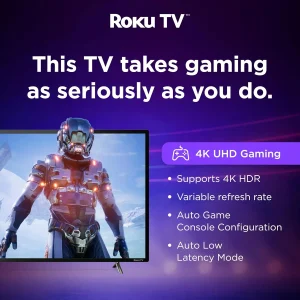
Variable Refresh Rate (VRR) helps a compatible television adjust its refresh rate to match the console’s changing frame rate. This can reduce distracting screen tearing and make gameplay look more consistent.
Auto Low Latency Mode (ALLM) allows compatible equipment to switch automatically to a low-latency picture mode when gaming begins. Low input lag is also important because it reduces the delay between pressing a button and seeing the result on screen.
For additional compatibility details, consult the official PlayStation 5 4K resolution guide. You can also compare tested models in the RTINGS PS5 TV recommendations.
7 Televisions Worth Considering for PS5 Gaming
The right choice depends on how much you want to spend and where you play. The following options cover premium OLED performance, more affordable OLED alternatives, and value-focused LCD and Mini-LED televisions. Model availability, specifications, and prices can vary by region, screen size, and retailer, so check the exact version before purchasing.
1. Samsung S95H OLED: A Premium Choice for Picture Quality
The Samsung S95H OLED is worth considering if you want a high-end gaming experience and have room in your budget. Its OLED technology is designed to produce deep blacks and vivid colors, helping game environments look rich and immersive.
OLED pixels can switch on and off individually. This gives the screen excellent contrast, especially in darker scenes where small highlights appear against a nearly black background. It can make nighttime environments, shadowy interiors, and bright visual effects look particularly striking.
The S95H also offers advanced gaming support, including HDMI 2.1 connectivity and a high refresh rate. These features make it suitable for players who want to take advantage of compatible high-frame-rate games. Fast pixel response can also help keep moving objects clear during intense action.
There are a few things to consider before buying. Premium OLED televisions usually cost more than mainstream LCD models, and the best screen size for your room may increase the price further. OLED panels can also be affected by permanent image retention over time, although modern televisions include protective features to help reduce the risk.
Best for: Gamers who want premium picture quality, rich colors, deep blacks, and advanced gaming features.
2. LG C6 OLED: A Strong All-Round Gaming Option
The LG C6 OLED is another model to consider if gaming is a major reason for upgrading your television. It combines OLED contrast with modern gaming features, making it suitable for players who also use their TV for movies, streaming, and everyday entertainment.
Dark scenes look detailed because the screen can display deep blacks without the same backlight glow commonly seen on many LCD televisions. Colors can look vibrant, while the quick pixel response helps fast movement appear clear.
The C6 also supports advanced gaming functions, including HDMI 2.1, variable refresh rate, and high-refresh-rate input. These features can make it a good match for compatible PS5 games that offer smoother performance modes.
Room lighting should still influence your decision. Direct light can create reflections on the screen, so consider where your windows and lamps are positioned. OLED is particularly appealing when you want excellent contrast, but the way a television handles glare matters just as much in a bright room.
Another advantage is versatility. You do not need to use the television exclusively for gaming to appreciate its picture quality. Movies, streaming shows, and other content can also benefit from the strong contrast and detailed image.
Best for: Players who want a capable gaming TV that also performs well for movies and everyday viewing.
3. LG B6 OLED: OLED Gaming Without Going Straight to the Top Tier
If you like the look of OLED but want to avoid paying for a more expensive flagship model, the LG B6 OLED is worth comparing with the C6. It offers the core advantages of OLED technology while occupying a different position in the product range.
Its deep blacks and strong contrast can make games look immersive, particularly in a dimly lit room. Explosions, bright interface elements, and other highlights stand out against darker surroundings. Fast response times also help keep action clear.
The B6 supports 4K gaming at up to 120Hz, making it suitable for compatible PS5 titles that prioritize frame rate. Features such as HDMI 2.1 and VRR help improve compatibility with modern gaming systems.
Compared with more premium televisions, brightness and certain picture-performance characteristics may be less impressive. This matters if your gaming space receives strong sunlight or you prefer a very bright image. In a room where you can control the lighting, however, the difference may be less important.
Before making a purchase, compare the B6 and C6 in the screen size you want. A good sale on the more expensive model could change which one offers better value.
Best for: Gamers who want OLED contrast and modern console features at a potentially lower price than a premium OLED.
4. Hisense U7 Series: A Practical Option for Bright Rooms
OLED is not the right choice for every gamer. If you play in a living room with windows, overhead lights, or daylight coming through the curtains, a bright Mini-LED television may be a better fit.
The Hisense U7 Series is a value-oriented option to investigate. Recent versions offer a combination of high brightness, local dimming, and gaming features that can appeal to people who want a versatile television without paying flagship prices.
Mini-LED televisions use many small LEDs to illuminate an LCD panel. Local dimming allows different sections of the backlight to become brighter or darker depending on the picture. This can improve contrast compared with basic LCD televisions, although bright objects may still create a visible glow against dark backgrounds.
Depending on the exact model and regional version, the U7 may offer HDMI 2.1 features, VRR, and a refresh rate above the 120Hz required for compatible PS5 gaming. Always confirm the specifications for the exact television you intend to purchase rather than assuming every U7 model is identical.
The main compromise is that LCD technology does not generally provide the same pixel-level black control as OLED. Dark scenes may therefore look slightly less precise, but strong brightness can be a real advantage in a well-lit room.
Best for: Gamers who want a bright screen, useful gaming features, and a balance between performance and price.
5. Hisense U8 Series: More Brightness for an Immersive Experience
The Hisense U8 Series is worth comparing if you like the flexibility of Mini-LED technology and want a television positioned above more affordable models in the range.
High brightness can help HDR scenes look more impactful, particularly when a game includes sunlight, glowing effects, or colorful landscapes. Local dimming can also improve contrast by reducing the brightness of darker sections of the picture.
For PS5 gaming, check the model’s refresh rate, HDMI ports, VRR support, and input lag. These details matter more than a marketing label alone. A television may advertise an impressive refresh rate, but you should still confirm that it supports the resolution and refresh-rate combination you plan to use with your console.
The U8 Series can be a sensible option for a shared living room where the TV is used for gaming, sports, movies, and streaming. Its brighter presentation may be particularly helpful when you cannot completely darken the room.
On the other hand, some gamers may prefer OLED for its more precise black levels and pixel response. The best option depends on whether you prioritize brightness, contrast, room conditions, and overall price.
Best for: Players who prefer a bright, feature-rich television for gaming and general entertainment.
6. TCL QM8 Series: A Mini-LED Option to Compare
The TCL QM8 Series is another model family worth considering if you want strong brightness and improved contrast without automatically moving to a premium OLED television.
Its Mini-LED backlighting and local-dimming capabilities are intended to deliver more impressive contrast than a basic LCD screen. That can help games with dramatic lighting look more engaging, particularly when bright effects appear against darker scenery.
The exact gaming specifications depend on the model year and screen size. Check whether the version available to you supports 4K at 120Hz, VRR, ALLM, and the necessary HDMI bandwidth. If you play competitive games, look for independent input-lag testing as well.
One advantage of comparing Mini-LED televisions is that they can offer a large screen and high brightness at prices below some premium OLED options. This can be appealing if you sit farther from the TV or want a larger image for racing games and open-world adventures.
However, local dimming is not the same as individual pixel lighting. Some bright objects may create halos, especially in very dark scenes. This is a common limitation of LCD-based displays rather than a problem unique to one brand.
Best for: Gamers who want a bright, large-screen television with modern gaming features and strong overall value.
7. TCL QM6K: A Budget-Friendly Gaming Option
Not everyone needs a flagship television to enjoy the PS5. If you are trying to control your spending, the TCL QM6K is a useful model to compare with other affordable gaming TVs.
It offers a more accessible route into features associated with modern gaming displays. Depending on the exact version, these can include a higher refresh rate, VRR, and HDMI 2.1 capabilities. Confirm the number of suitable HDMI ports before buying, especially if you use more than one console.
The picture quality will not necessarily match a high-end OLED or a more advanced Mini-LED television. Dark scenes may show more blooming, and HDR highlights may be less impressive than on brighter premium models. Still, a well-equipped budget TV can provide a satisfying experience when paired with the right game settings.
Think about how you actually play. If you mostly enjoy story-driven games, sports titles, or casual multiplayer sessions, you may not need to spend extra for every premium picture feature. A reliable 4K television with low input lag and useful gaming support can be a sensible purchase.
Compare the QM6K with basic 60Hz TVs before making your decision. Paying a little more for a model with better motion handling and gaming connectivity may be worthwhile if you plan to keep it for several years.
Best for: Budget-conscious gamers who want modern gaming features without the cost of a flagship television.
OLED vs. Mini-LED: Which Is Better for PS5?
Both technologies can provide an excellent gaming experience, but they have different strengths.
OLED is particularly appealing for contrast. Because each pixel produces its own light, it can display very deep blacks and precise highlights. Fast pixel response is another benefit, especially in games with rapid camera movement. OLED is a strong choice for bedrooms, dedicated gaming spaces, and rooms where you can control the lighting.
Mini-LED uses an LCD panel with a more advanced backlight system. It can reach high brightness levels, which is helpful for daytime gaming and HDR highlights. Depending on the model, it may also offer a larger screen for the same budget.
Its main limitation is local-dimming precision. Because backlight zones cover groups of pixels rather than individual pixels, bright objects can sometimes create halos against dark backgrounds.
There is no universal winner. Choose OLED if deep blacks, contrast, and quick pixel response are your priorities. Consider Mini-LED if brightness, room lighting, screen size, and value matter more.
How to Set Up Your TV for Better PS5 Gaming
Buying the right television is only part of the process. A few settings can help you get more from the console.
First, connect the PS5 to an HDMI port that supports the television’s full gaming features. Use a suitable high-speed HDMI cable, such as the cable supplied with the console, unless you have a specific reason to replace it.
Next, open the television’s picture settings and enable Game Mode. This usually reduces image processing that can add delay between controller input and on-screen action. Some picture enhancements may look attractive for movies but can make gaming feel less responsive.
On the PS5, open the screen and video settings to check resolution, 120Hz output, VRR, and HDR options. Availability depends on your TV, connected port, game, and display settings. If a game offers a performance mode, try it when smoother movement matters more to you than maximum visual detail.
HDR calibration is worth doing carefully. Follow the console’s on-screen instructions and avoid making the image unnecessarily bright. A correctly configured display can look more natural than one with every setting pushed to its maximum.
Finally, sit at a comfortable distance. A very large television can feel immersive, but you should be able to see important details without constantly moving your eyes or head.
Common Mistakes to Avoid When Buying a Gaming TV
One common mistake is assuming that every 4K television supports 120Hz gaming. Many affordable models are limited to 60Hz, which means they cannot display compatible PS5 games at 4K and 120Hz.
Another mistake is focusing only on the screen size. A larger screen is not automatically better if the picture quality, input lag, or gaming connections are unsuitable for your needs.
It is also easy to pay for features that do not matter to you. For example, a very high refresh rate beyond 120Hz may be more relevant to PC gaming than to a PS5, which tops out at 120 frames per second in supported games. Similarly, an 8K television is not necessary for most PS5 owners.
Before ordering, check the exact model number, HDMI port capabilities, warranty, return policy, and local pricing. Television names can be similar across model years, and specifications may differ between regional versions.
Frequently Asked Questions
Do I need a 120Hz TV for PS5?
No. A 60Hz television can still deliver a good PS5 experience. However, a 120Hz TV is useful if you play games that support 120 frames per second and want smoother motion.
Is OLED better than LED for PS5?
OLED usually provides deeper blacks and more precise contrast, while Mini-LED televisions can be brighter and may work better in sunny rooms. Your room lighting and budget should guide the decision.
Does HDMI 2.1 matter for PS5 gaming?
It matters if you want features such as 4K at 120Hz and compatible VRR support. If you are happy gaming at 4K and 60Hz, you may not need every HDMI 2.1 feature.
Can I use a budget TV with my PS5?
Yes. A budget television can work well, particularly for casual gaming. Check its resolution, input lag, refresh rate, and available gaming features before purchasing.
What screen size should I choose?
Choose a size that suits your room and viewing distance. A 55-inch or 65-inch television can work well in many living rooms, but a smaller screen may be more comfortable in a compact space.
Final Thoughts
Choosing the right gaming television comes down to your priorities rather than a single specification. Premium OLED models offer impressive contrast and responsive gameplay, while Mini-LED options can provide strong brightness and attractive value. More affordable televisions can also be worthwhile if they meet your needs and you understand their limitations.
When comparing the best televisions for PS5, start with 4K resolution, 120Hz support if you want high-frame-rate gaming, compatible HDMI connectivity, VRR, and low input lag. Then consider brightness, screen size, room lighting, and price. These practical details will help you choose a TV that feels right for your setup instead of paying for features you may never use.
Take time to compare the exact model and regional specifications before ordering. With a little research and the right settings, you can enjoy a more immersive gaming experience without stretching your budget unnecessarily.