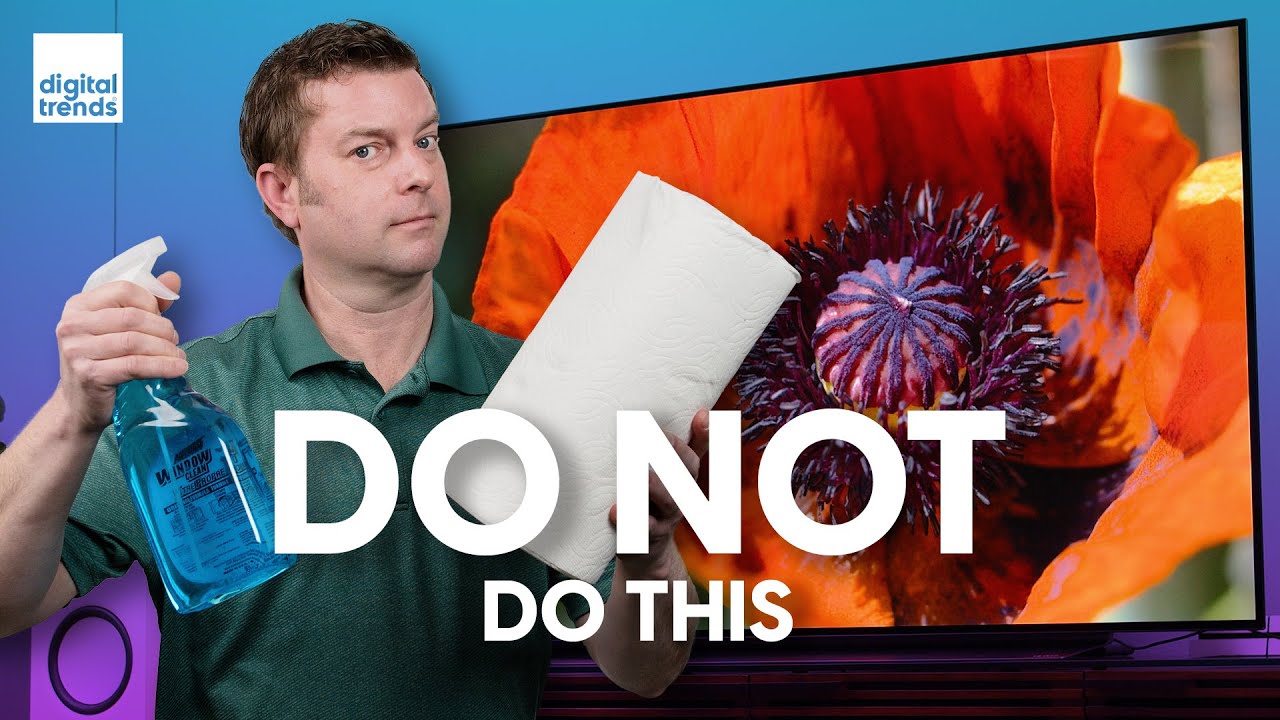
How to Clean a Television might sound simple, but doing it wrong can damage your screen, reduce picture quality, or even void your warranty. Today’s TVs have delicate surfaces and sensitive electronics. If you use the wrong cleaner or wipe with the wrong cloth, you could be left with streaks, scratches, or worse—permanent marks.
Knowing the right way to clean your television will keep your investment looking sharp for years. In this guide, you’ll discover everything about cleaning a TV, from choosing the best tools and cleaning solutions to avoiding common mistakes. Whether you own an LED, OLED, LCD, or plasma screen, you’ll find tips, practical steps, and answers to questions you didn’t know you had.
Understanding Your TV Screen Type
Before you start cleaning, it’s important to know what kind of television you have. Different screen types need different care. Using the wrong method can cause damage.
Common TV Screen Types
- LED/LCD: These are the most popular TVs today. They use a liquid crystal display with a light-emitting diode backlight. The screens are thin and sensitive.
- OLED: These TVs use organic light-emitting diodes. They have deep blacks and vibrant colors but very delicate surfaces.
- Plasma: Plasma TVs are less common now, but they have glass screens that are heavier and less sensitive than LED or OLED.
- CRT (Tube TVs): Older TVs use a cathode ray tube and have thick glass screens.
Why Screen Type Matters
- LED/LCD and OLED screens are made of thin layers. They scratch or get streaks easily. Never use harsh chemicals.
- Plasma and CRT screens have glass, which is a bit tougher. But they still need gentle cleaners to avoid residue or static.
Key insight: Many people think all flat screens are glass. Most modern TVs are actually coated plastic. Using glass cleaner can ruin the special coating.
Tools And Materials You Need
You don’t need fancy gadgets to clean your TV, but having the right tools makes the job safer and easier.
Essential Cleaning Tools
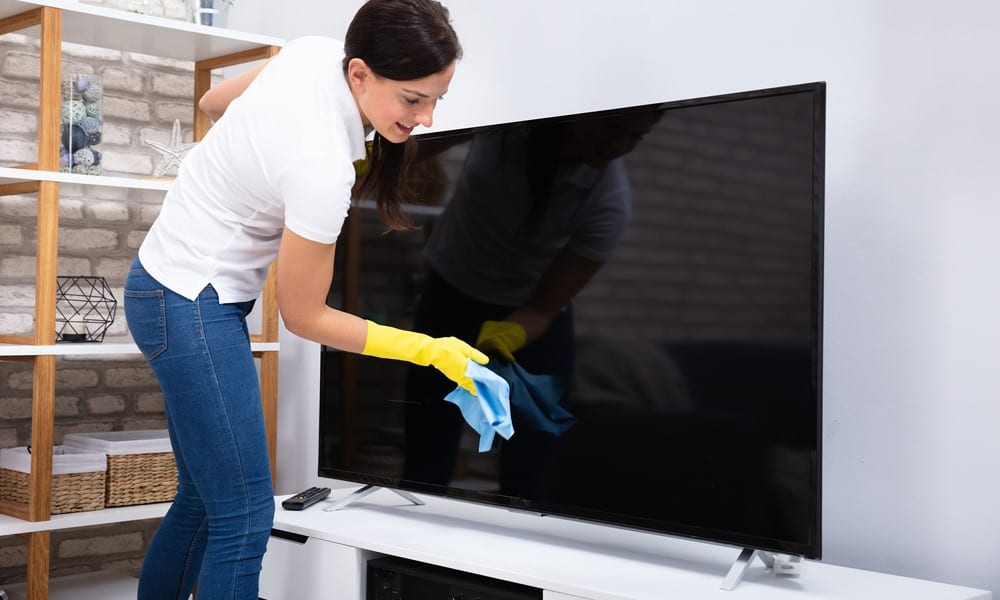
- Microfiber cloth: The best option for wiping screens. It’s soft and leaves no lint.
- Distilled water: Tap water can leave mineral spots. Distilled water is pure.
- Screen cleaning solution: Buy a cleaner labeled “for electronics” or make a gentle mix at home.
- Compressed air (optional): Helps remove dust from ports and vents.
- Cotton swabs: Useful for cleaning corners and edges.
What To Avoid
- Paper towels or tissues: These can scratch your screen.
- Window cleaner or alcohol-based products: Harsh chemicals remove anti-glare coatings.
- Regular towels: They can leave lint or scratch the surface.
Insider tip: Always keep a dedicated microfiber cloth just for electronics to avoid oils or dirt from other uses.
Preparing To Clean Your Television
Preparation is as important as the cleaning itself. Rushing the process can lead to mistakes.
Turn Off And Unplug the TV
This step protects you and your TV:
- It’s safer to clean a cold, unplugged device.
- It’s easier to see dust and smudges on a dark screen.
Remove Accessories
Take off any attached devices or wires that might get in the way. This includes:
- Game consoles
- USB drives
- Sound bars
Choose A Safe Location
If your TV is wall-mounted, make sure it’s secure. If it’s on a stand, avoid cleaning near the edge to prevent it from falling.
Advanced tip: Place a towel or soft blanket under the TV (if moving it) to protect the screen from accidental bumps.
Step-by-step Guide: How To Clean A Television
Now, let’s walk through the cleaning process, whether you have a modern flat screen or an older TV.
Step 1: Dust With A Dry Microfiber Cloth
- Gently wipe the screen in a circular motion.
- Don’t press hard; let the cloth do the work.
- Wipe the frame and stand, too.
Why this matters: Dust can scratch the screen if you rub it in with liquid.
Step 2: Spot Clean Smudges
- If fingerprints or marks remain, dampen a corner of your microfiber cloth with distilled water.
- Wring out any extra water so the cloth is just slightly damp.
- Gently wipe the smudge, then dry with the clean side of the cloth.
Common mistake: Never spray water directly onto the TV screen.
Step 3: Deep Clean With A Screen Cleaner
- Use a screen-safe cleaning solution if water isn’t enough.
- Spray a small amount onto the cloth, not the screen.
- Wipe gently in straight lines or circles.
Pro tip: For stubborn spots, hold the damp cloth in place for a few seconds to soften the smudge before wiping.
Step 4: Clean Edges And Corners
- Use a dry cotton swab for corners and edges where dust collects.
- For ports and vents, use compressed air in short bursts.
Step 5: Clean The Tv Stand And Remote
- Wipe the stand with the same microfiber cloth.
- Clean the remote with a separate cloth, slightly dampened with water or a bit of rubbing alcohol on the buttons (never the screen).
Extra insight: Cleaning your remote regularly helps prevent the spread of germs.
Homemade Screen Cleaning Solutions
If you don’t want to buy a special cleaner, you can make your own. Be careful: some recipes online are too harsh.
Safe Homemade Recipe
- Mix equal parts distilled water and white vinegar.
- Pour into a spray bottle for easy use.
Never use ammonia or bleach. These will ruin your TV’s coating.
How It Compares To Store-bought Cleaners
Here’s a quick look at the difference:
| Solution Type | Ingredients | Safe for All Screens? | Cost |
|---|---|---|---|
| Homemade (Vinegar & Water) | Distilled water, white vinegar | Yes | Low |
| Store-bought Cleaner | Commercial formula | Check label | Medium |
| Window Cleaner | Ammonia, alcohol | No | Low |
Caution: If you try a new cleaner, test it on a small corner first.
Cleaning Different Types of TV Screens
Not all TVs are the same. Here’s how to adjust your cleaning method.
Led/lcd And Oled Screens
- Always use a soft, dry microfiber cloth for most cleaning.
- For tough spots, use only a dampened (never wet) cloth with distilled water or a screen-safe cleaner.
- Avoid rubbing too hard, as pressure can damage pixels.
Plasma Screens
- Plasma screens are covered with glass but may have special coatings.
- Use a microfiber cloth and distilled water.
- Avoid window cleaners and paper towels.
Crt (tube) Screens
- These old TVs have thick glass screens.
- You can use a slightly damp cloth with a mild cleaner, but avoid soaking.
- Don’t forget to dry with a lint-free cloth.
How Often Should You Clean Your TV?
Frequency depends on your environment, but here are some guidelines:
- Weekly: Light dusting with a dry microfiber cloth.
- Monthly: Deeper clean with water or screen cleaner if needed.
- As needed: For fingerprints, smudges, or after a spill.
Hidden insight: If you smoke or burn candles near your TV, you may need to clean more often due to residue buildup.
Mistakes To Avoid When Cleaning Your Tv
Many TV owners accidentally harm their screens. Here are the most common mistakes and how to avoid them:
- Using harsh chemicals: Ammonia, alcohol, and bleach can destroy screen coatings.
- Spraying liquid directly on the screen: This can drip into the electronics and cause damage.
- Scrubbing too hard: Pressure can permanently damage pixels.
- Using rough cloths or paper towels: They scratch delicate surfaces.
- Cleaning while the TV is on: Heat can cause streaks and may be unsafe.
Pro insight: Always read your TV manual for brand-specific cleaning advice.
What To Do About Stubborn Stains
Sometimes, a mark just won’t come off. Here’s how to handle tough spots:
- Stuck-on grime: Hold a damp cloth on the spot for a few seconds, then gently wipe.
- Grease or oily stains: Use a bit of screen-safe cleaner or vinegar-water mix.
- Sticky residue: Try a second pass with a fresh cloth.
Never use sharp objects, scrapers, or your fingernail—they’ll scratch the screen.
Keeping Your Tv Clean Longer
Prevention is the easiest way to keep your TV looking new.
Practical Tips
- Keep food and drinks away from your TV area.
- Ask children not to touch the screen.
- Close windows to reduce dust.
- Use air purifiers if dust is a major problem.
Routine Maintenance
- Dust regularly.
- Check for cobwebs around the TV.
- Clean remotes and sound bars, too.
Advanced tip: If your TV is in a kitchen or high-traffic room, increase cleaning frequency.
:max_bytes(150000):strip_icc()/how-to-clean-a-flat-screen-tv-or-computer-monitor-2624703_final-5c18343bc9e77c00016deb61.png)
Comparing Tv Cleaning Methods
Which method is best? Here’s a comparison for quick reference:
| Method | Effectiveness | Safety | Ease of Use |
|---|---|---|---|
| Dry microfiber cloth | Good for dust | Very safe | Very easy |
| Damp cloth (distilled water) | Good for smudges | Safe if wrung out | Easy |
| Screen cleaner spray | Best for tough spots | Safe if used correctly | Easy |
| Paper towel/tissue | Poor | Unsafe | Easy but risky |
| Window cleaner | Varies | Unsafe | Easy but not recommended |
The Science Behind TV Screen Cleaning
Understanding why certain cleaners work can help you make better choices.
Why Microfiber?
Microfiber cloths are made of tiny fibers much smaller than cotton. They pick up dust without scratching or leaving lint. This is why they’re perfect for TV screens.
Why Avoid Alcohol And Ammonia?
Alcohol and ammonia cut through grease, but they also strip away the anti-reflective coating on your screen. Over time, this causes permanent haze or shiny spots.
Why Distilled Water?
Tap water can leave mineral spots. Distilled water is pure, leaving no residue behind.
Cleaning Tv Accessories
Don’t forget about the parts that surround your TV.
Remote Controls
- Wipe with a soft, slightly damp cloth.
- Clean between buttons with a dry cotton swab.
- For germs, use a 70% isopropyl alcohol wipe (avoid the battery area).
Sound Bars And Speakers
- Dust with a microfiber cloth.
- Use compressed air for speaker grilles.
Cables And Ports
- Wipe cables with a dry cloth.
- Blow dust out of ports with compressed air.
Non-obvious insight: Dusty ports can cause connection problems or overheating.
What If Your Tv Gets Wet?
Spills happen. Here’s what to do if water or cleaner drips into your TV:
- Unplug the TV immediately.
- Dry the area with a microfiber cloth.
- Let the TV air dry for several hours before turning it on.
- If you see streaks or marks after drying, clean again with a dry cloth.
If large amounts of liquid enter the TV, contact a professional for repair.
Expert warning: Never try to open your TV yourself. Modern TVs have fragile components and high-voltage parts.
Cleaning Smart TVs vs. Regular TVs
Smart TVs usually have the same screen types as regular TVs, but here are a few extra things to consider:
- Smart TVs have more ports and vents for internet connections.
- Dust can build up around ports and affect Wi-Fi or Bluetooth.
- Keep software updated; some smart TVs can show cleaning reminders.
Otherwise, clean the screen the same way as any other modern TV.
When To Call A Professional
If you notice any of these signs, don’t try to fix it yourself:
- Persistent lines or dead pixels after cleaning
- Moisture inside the screen
- Electric shock or burning smell
A professional can safely repair your TV or let you know if it’s covered by warranty.
Quick Reference Guide: Do’s And Don’ts
Here’s a cheat sheet to keep near your TV:
| Do | Don’t |
|---|---|
| Use a microfiber cloth | Use paper towels |
| Turn off and unplug TV | Clean while TV is on |
| Use distilled water | Use window cleaner |
| Clean gently, no pressure | Scrub or press hard |
| Clean regularly | Let dust build up |
Frequently Asked Questions
How Can I Remove Fingerprints From My TV Screen?
Use a dry microfiber cloth to gently wipe away fingerprints. If they remain, slightly dampen the cloth with distilled water or a screen-safe cleaner and wipe the area gently. Never use paper towels or harsh chemicals.
Can I Use Household Glass Cleaner On My Television?
No. Most glass cleaners contain ammonia or alcohol, which can strip your TV’s anti-glare or protective coating. Stick to distilled water, vinegar-water mix, or a cleaner made for electronics.
How Often Should I Clean My TV Screen?
Light dusting once a week is best. For smudges or fingerprints, clean as needed. If your TV is in a dusty or high-traffic area, you might need to clean it more often.
What Should I Do If Water Gets Inside My TV?
Unplug the TV right away and dry the outside with a microfiber cloth. Allow the TV to air dry for several hours before turning it back on. If you suspect a lot of moisture entered the device, contact a professional.
Is It Safe To Use Wipes For Electronics On My Tv?
Yes, if the wipes are labeled safe for electronics and alcohol-free. Always check the packaging and test on a small corner first. Avoid baby wipes or generic cleaning wipes, as they may contain chemicals that harm the screen.
Cleaning your television is not just about looks—it protects your investment and ensures you enjoy the best picture quality. With the right tools and a gentle touch, you can keep your screen spotless and clear for years. Always check your TV’s manual for any special instructions, and when in doubt, choose the safest, most gentle cleaning method. For more information on electronics care, check out this Consumer Reports guide. Clean smart, and enjoy your favorite shows with a crystal-clear view every time.