
Buying a laptop is a big decision. One of the most important choices is the computer processor. The processor, also called the CPU, is the “brain” of your laptop. It controls how fast your laptop works, how well it handles many tasks, and even how long your battery lasts. With so many options—Intel, AMD, Apple, and others—finding the best processor for your needs can feel confusing. If you’re shopping for a new laptop or just want to learn more, Which Computer Processor is Best for Laptops
What Makes A Processor “Best” For Laptops?
Not all laptop users need the same processor. Some people want speed for gaming or video editing. Others care more about battery life or a quiet, cool laptop for work and study. The “best” processor depends on what you need:
- Performance: How fast can the laptop handle tasks?
- Battery Life: Does the processor use little power?
- Heat and Noise: Does it stay cool and quiet?
- Graphics: Can it play games or edit photos/videos smoothly?
- Price: Is it affordable for your budget?
Many people focus only on speed. But for laptops, power efficiency and heat management are just as important. A powerful chip that drains the battery fast may not be the best choice for students or business users. For example, high-end processors can finish tasks quickly, but if you use your laptop for many hours away from a charger, a more efficient chip will serve you better.
Another thing to consider is how the processor works with other laptop parts. For instance, a fast CPU paired with slow storage or little memory will not feel fast. The best processor for you balances speed, battery life, and the way you use your laptop every day.
Understanding these factors will help you make a smarter choice.
Main Types Of Laptop Processors
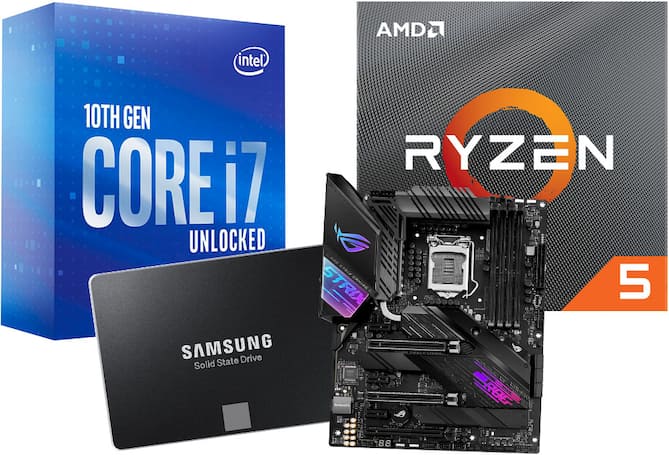
There are three main brands:
- Intel: The biggest name, with many options from budget to high-end.
- AMD: Popular for good value and strong performance, especially in recent years.
- Apple: Makes its own M-series chips for MacBooks, known for efficiency.
Other brands like Qualcomm make processors for very basic laptops, but most people choose from Intel, AMD, or Apple.
Let’s look at what makes each one unique.
Intel Laptop Processors
Intel’s most popular lines are Core i3, i5, i7, and i9. There are also Core Ultra and Core M for special uses.
- Core i3: Good for simple tasks—email, web, office work.
- Core i5: Great balance for most users—fast, good battery life.
- Core i7: More speed for gamers, creators, or multitaskers.
- Core i9: Top-end for heavy work like video editing or 3D design.
Intel also makes different “generations” (13th, 12th, etc. ). Newer generations are faster and more efficient. For instance, the 13th Gen chips use a combination of “performance” and “efficiency” cores, which lets your laptop run smoothly whether you’re browsing or editing video.
The Core Ultra line, new in 2024, uses advanced technology for even better battery life and graphics, making thin and light laptops more powerful than ever.
Amd Laptop Processors
AMD’s main line is Ryzen:
- Ryzen 3: Basic use—web, documents, streaming.
- Ryzen 5: Good for most people—fast, efficient, often better value.
- Ryzen 7: Great for power users, gaming, and creative work.
- Ryzen 9: For the most demanding tasks.
Recent AMD chips (Ryzen 6000, 7000 series) are known for better graphics and battery life than before. AMD has also focused on making their chips good for both Windows and Linux, so they’re a flexible choice. For example, the Ryzen 7 7840HS is popular in thin gaming laptops because it offers strong performance without getting too hot.
AMD also uses “U” and “HS” at the end of model names. “U” means ultra-low power for long battery life, and “HS” means high-performance but still efficient—good for thin laptops that need more power.
Apple Silicon (m-series)
Apple’s M1, M2, and M3 chips are only in MacBooks. They are famous for:
- Excellent battery life
- Cool, quiet operation
- Strong performance for most tasks
If you want a MacBook, you’ll get one of these chips. They are not found in Windows laptops.
Apple’s M-Series chips use a technology called ARM, which is different from Intel and AMD’s x86 chips. This design allows them to run cool and use very little power, yet still be fast. For example, the MacBook Air with M2 can handle video editing and heavy multitasking, yet stays silent and lasts all day on a single charge.
Apple is also leading in making chips that combine CPU, graphics, and memory in one piece—this is called a “system on a chip” (SoC), and it means everything works together more efficiently.

Comparing Popular Laptop Processors
To make things clearer, here is a simple comparison of popular laptop processors. This can help you see which might fit your needs.
| Processor | Performance Level | Battery Life | Best Use Case |
|---|---|---|---|
| Intel Core i3 | Basic | Good | Web, Office |
| Intel Core i5 | Mid-range | Very Good | Business, Students |
| Intel Core i7 | High | Good | Gaming, Content |
| AMD Ryzen 3 | Basic | Good | Web, Office |
| AMD Ryzen 5 | Mid-range | Very Good | All-round |
| AMD Ryzen 7 | High | Good | Gaming, Content |
| Apple M2 | High | Excellent | MacBook (All) |
These categories are a general guide. Sometimes, a well-designed laptop with a mid-range processor will feel faster than a poorly designed one with a high-end chip. Look at the full laptop, not just the CPU.
How To Choose The Best Laptop Processor For You
Before you buy, think about what you really need. Here are simple steps to help you choose:
1. Understand Your Main Use
Ask Yourself: What Will I Do Most With My Laptop?
- Just web, email, office? A Core i3 or Ryzen 3 is enough.
- Business, study, video calls, light multitasking? Go for Core i5, Ryzen 5, or Apple M2.
- Gaming, video editing, design, coding? Choose Core i7/i9, Ryzen 7/9, or Apple M2/M3.
If you use special software, check their websites for recommended CPUs. For example, some engineering programs list which chips they work best with. If you plan to keep your laptop for many years, consider choosing a slightly better chip than you need now.
2. Check The Generation And Model Number
Newer generations are almost always better. For example, Intel’s 13th Gen is better than 11th Gen. AMD’s Ryzen 7000 beats Ryzen 5000. Apple’s M3 is newer than M2.
Non-obvious insight: Sometimes a mid-range chip from a new generation is faster than an old high-end chip. For example, a Ryzen 5 7640HS (7000 series) can outperform an older Ryzen 7 4800U. Don’t just look at the “i7” or “Ryzen 7” label—check the generation.
Another common mistake: ignoring power limits. Some laptop makers slow down the CPU to keep the laptop cool. So, a chip in a thin laptop may run slower than the same chip in a bigger laptop. Look for reviews that test real performance, not just the model name.
3. Look For The Letters At The End
Intel and AMD add letters that show the chip’s focus:
- U: Ultra-low power (better battery, less heat)
- H: High performance (more power, often in gaming laptops)
- P: Power-efficient but still fast (rare)
- G: Good graphics included
For example, an “Intel Core i7-1355U” is a power-saving chip for thin laptops. An “i7-13700H” is for gaming or heavy work.
AMD’s “HS” is a middle ground—strong performance with less heat. This is great for laptops that are thin but still need to handle heavy tasks.
4. Integrated Graphics Vs. Dedicated Graphics
Some processors include decent integrated graphics. For light gaming, AMD’s Ryzen chips and Apple’s M2/M3 do well. But for modern games or 3D work, you need a laptop with a dedicated GPU (like NVIDIA or AMD Radeon), not just a strong CPU.
Non-obvious insight: Many people buy a high-end processor but forget that for gaming, the graphics chip matters more. Don’t overpay for a fast CPU if the laptop’s graphics are weak.
For creative work, like video editing or 3D modeling, dedicated graphics cards also speed up exports and effects. Integrated graphics are fine for watching movies, working with documents, and simple games. If you see yourself playing popular games or working with design tools, check the GPU as well.
5. Consider Battery Life And Heat
Thin laptops (like MacBook Air or Dell XPS 13) use efficient chips to stay cool and quiet. Big gaming laptops use powerful chips but can get hot and noisy. If you need long battery life, choose a “U” or Apple chip.
For performance, choose “H” chips but expect more heat.
Some laptops use special cooling systems, like vapor chambers or extra fans, to keep performance high. But these can make the laptop heavier or louder. Decide what is more important for you—silent running, or top speed.
6. Check Real-world Reviews
Benchmarks (test scores) are useful but not everything. Read reviews from people who use the laptop for similar tasks as you. Some chips perform well on paper but get slowed down by heat inside thin laptops.
Pay attention to battery tests and long-term performance. Some laptops slow down after 10–20 minutes of heavy use because they get too hot. Real-world reviews often mention this, so spend a few minutes reading user feedback before buying.
Intel or AMD: Which Is Better For Laptops?
Intel and AMD have both improved a lot in recent years. Here’s a direct comparison of key factors:
| Feature | Intel | AMD |
|---|---|---|
| Performance | Strong in single-core, great for office & gaming | Great multi-core, good for multitasking & creative work |
| Battery Life | Very good, especially 12th/13th Gen “U” chips | Excellent in Ryzen 6000/7000 series |
| Integrated Graphics | Good with Iris Xe, but can lag behind AMD | Often better with Radeon graphics (Ryzen 6000+) |
| Price | Can be a bit higher | Often better value for same performance |
Bottom line: For basic use, both are fine. For gaming and creativity, AMD often gives better value, but Intel is strong in the highest-end chips.
One more detail: AMD laptops sometimes cost less for similar specs, but can be harder to find in stores. Intel laptops are available almost everywhere, which makes shopping easier. Also, if you care about Thunderbolt ports (very fast USB), most are only on Intel laptops.
Apple M-series: Why Are They So Popular?
Apple’s MacBook Air and MacBook Pro now use M1, M2, and M3 processors. These chips are special because:
- They use a different design (ARM-based) for very high efficiency.
- They run cool and silent—even without fans in some models.
- Battery life is often 15–20 hours, much more than most Windows laptops.
- Graphics are strong enough for most creative work.
But you can’t run Windows apps natively. If you need Microsoft-only software, a Windows laptop is better.
Pro insight: Apple’s chips are not just for “Apple fans.” Even many programmers and creators now prefer MacBooks for their balance of speed and battery life.
Another thing to know: Apple updates its chips quickly. If you buy an older M1 MacBook, it will still perform well for many years, but the M2 and M3 models are noticeably faster for editing video, running code, or multitasking with many apps. MacBooks also keep their value well, so even if you spend more, you might save money in the long run.
Best Laptop Processors In 2024
Here are the standout processors for different needs this year:
- Intel Core i5-1340P / i5-13500H: Great for almost everyone. Fast, efficient, and widely available.
- AMD Ryzen 7 7735HS / 7840HS: Top multitasking and creative power. Strong built-in graphics.
- Apple M2: Superb for MacBook Air/Pro users. Long battery, fast, cool.
- Intel Core i7-13700H: For gamers or professionals who need speed.
- AMD Ryzen 9 7940HS: For serious creators or gamers. Excellent value.
- Apple M3: The latest, even faster and better for pro users.
Each of these processors brings something unique. The Intel i5-13500H, for example, is often found in thin-and-light laptops that can still handle photo editing or casual gaming. The Ryzen 7 7840HS is popular in laptops for designers and students who want to run many apps at once without slowdowns.
Apple’s M2 and M3 chips are leading for battery life and quiet operation, and the M3, in particular, is a great choice for anyone who edits video or builds software.
What About Chromebooks And Budget Laptops?
If you only need basic tasks (browsing, email, YouTube), a Chromebook or cheap Windows laptop may use:
- Intel Pentium or Celeron
- AMD Athlon or 3020e
- MediaTek or Qualcomm Snapdragon (in some Chromebooks)
These are fine for simple use but slow for real multitasking or heavy apps. For students or light office work, these processors are enough, but don’t expect much speed.
Some Chromebooks use ARM-based chips, which give long battery life and silent operation. However, most popular apps run well, but you may run into limits if you need special programs (like the full version or Adobe Photoshop). If you want a laptop that “just works” for browsing and documents, these budget chips are a safe choice.
Common Mistakes When Choosing A Processor
- Focusing only on “i7” or “Ryzen 7” labels. Always check the generation and model number.
- Ignoring battery life. A fast chip may have poor battery.
- Overpaying for speed you don’t need. For web and Office, even basic chips work well.
- Forgetting about the laptop’s cooling system. Thin laptops with fast chips can overheat and slow down.
- Not considering integrated vs. dedicated graphics. For gaming, the GPU is often more important than the CPU.
Another mistake: choosing a chip that is too new for your needs. The newest generation often costs much more for a small boost in speed. Sometimes, last year’s model is almost as fast but much cheaper. Also, don’t forget to check the warranty and support, especially if you buy online.
How Much Should You Spend On A Laptop Processor?
- Budget ($300–$500): Intel Core i3, AMD Ryzen 3, or even Pentium/Athlon. Good for light use.
- Mid-range ($500–$900): Core i5, Ryzen 5, Apple M1/M2. Best for most users.
- High-end ($900+): Core i7/i9, Ryzen 7/9, Apple M2/M3. For gaming, creative work, or future-proofing.
Remember, spending more for the latest chip can help your laptop last longer.
But, don’t spend more than you need to. For most users, a well-chosen mid-range chip offers a sweet spot between price and performance. High-end chips are best for people who use demanding software every day or want to keep their laptop for five years or more.
If you mostly check email and watch videos, a budget chip is fine.
How Processor Choice Affects Other Features
- Battery life: Efficient chips mean longer use between charges.
- Weight and noise: Low-power chips allow lighter, quieter laptops.
- Upgrade options: Most laptop CPUs can’t be upgraded. Choose wisely now.
Also, the processor affects how much memory (RAM) and what kind of storage you can use. Some thin laptops, especially MacBooks, have memory built into the processor chip, which means you can’t add more later. Think about how much RAM you need (8GB is fine for most people, 16GB for creative work) and check if the laptop lets you add more storage or not.
Real-world Examples
- Student: Needs web, Office, and video calls. A Core i5 or Ryzen 5 is perfect. Don’t overpay for i7.
- Designer: Uses Photoshop and video editing. Go for Ryzen 7, Core i7, or Apple M2/M3.
- Business traveler: Needs a long battery and lightweight. Apple M2 or Intel “U” series is best.
- Gamer: Needs fast graphics, not just CPU. Choose a laptop with a strong GPU, paired with Core i7/i9 or Ryzen 7/9.
For example, a university student who types essays, joins Zoom classes, and streams music will be happy with a Core i5 or Ryzen 5. An architecture student using 3D software should look for at least a Ryzen 7 or Intel i7, and make sure the laptop has dedicated graphics.
For travel, the MacBook Air M2 is a favorite because it’s light, silent, and lasts all day.
Future Trends In Laptop Processors
Technology changes fast. Here’s what to expect:
- More “hybrid” cores: Mixing fast and efficient cores (like Intel 13th Gen, Apple M-series).
- Better integrated graphics: AMD and Apple are closing the gap with dedicated GPUs.
- AI acceleration: New chips will handle AI tasks (voice, photo editing) much faster.
- Smaller chips, more power: Laptops will get thinner but faster each year.
In the next few years, expect laptops to include “neural engines” for things like live translation, smarter photo editing, and voice control. This is already happening with Apple’s M3 and Intel’s Core Ultra chips. You may soon see laptops that last all day, run quietly, and do things that used to need a desktop.
For the latest info, check updates from AnandTech, a trusted tech site.
Frequently Asked Questions
Which Processor Is Best For Battery Life In Laptops?
The best processors for battery life are the Apple M2/M3 (MacBook) and Intel Core U-series (e.g., i5-1335U, i7-1355U). AMD’s Ryzen 7000U series also offers excellent battery life. These chips use less power, allowing laptops to last up to 15–20 hours on a charge.
A tip: Real battery life depends on the laptop’s screen and battery size too, not just the processor. But these chips give you the best chance for long-lasting use.
Is Intel or AMD better for gaming laptops?
Both brands are strong, but AMD Ryzen 7/9 and Intel Core i7/i9 H-series are the best for gaming. However, the laptop’s graphics card (NVIDIA or AMD Radeon GPU) is even more important. For smooth gaming, choose a laptop with both a strong CPU and dedicated GPU.
If you play fast-paced games or care about high frame rates, focus on the GPU first, then match it with a solid processor.
Can I Upgrade The Processor In My Laptop Later?
No, most laptop processors are soldered to the motherboard and cannot be changed. Choose the best chip you can afford when buying. Only some high-end “workstation” laptops let you upgrade the CPU, but these are rare.
Also, the same is true for most RAM and storage in thin laptops, so plan ahead when you buy.
Do More Processor Cores Always Mean Better Performance?
Not always. More cores help with multitasking and creative work (like video editing). But for web, Office, and basic apps, even 4 cores are enough. Single-core speed (how fast one core works) is also important for many tasks.
Some apps, like games and Photoshop, still use only one or two cores at a time. So, a higher clock speed can matter more than extra cores for these tasks.
What Is The Difference Between Intel Core I5 And I7?
Core i7 chips are usually faster, with more cores and higher speeds. They are better for gaming, content creation, and heavy multitasking. Core i5 is great for most people—fast, efficient, and cheaper. For basic use, i5 is enough; for heavy work, i7 is better.
But the newest Core i5 can sometimes be as fast as an older i7, so always check the generation and reviews.
Final Thoughts
Choosing the best computer processor for laptops is not just about picking the fastest chip. Think about your real needs, budget, and how you use your laptop. For most people, a mid-range chip like Core i5, Ryzen 5, or Apple M2 is the sweet spot—fast, efficient, and offers great value. Power users should focus on newer generations and consider heat and battery life. Always check reviews and real-world tests before buying. With the right processor, your laptop will stay fast and reliable for years to come.