
Best Gaming Television for PS5 in 2026: Complete Buying Guide
The best gaming television for ps5 can completely change how you experience your favorite games. Imagine driving through a rainy city at night, exploring a beautiful open world, or competing in a fast-paced online match. A good television makes every detail clearer, every movement smoother, and every moment more enjoyable.
However, buying a gaming TV is not always easy. You’ll see confusing terms such as OLED, Mini LED, HDMI 2.1, 120Hz, and VRR. Some televisions promise outstanding gaming performance but fail to deliver when connected to a console.
The good news? You don’t need the most expensive television to enjoy your PlayStation 5.
In this guide, we’ll explore the top gaming TVs for 2026, explain the features that really matter, and help you choose a screen that suits your gaming habits and budget.
Why Does Your PS5 Need a Good Gaming TV?
The PlayStation 5 is designed to deliver impressive graphics, smooth gameplay, and immersive entertainment. But your television determines how much of that performance you actually see.
For example, if you connect your PS5 to a basic 60Hz television, you can still enjoy beautiful 4K games. However, you won’t experience 120 frames per second on that screen.
A television with a native 120Hz panel allows compatible games to display smoother motion. This can make a noticeable difference in racing, shooting, and competitive games.
Picture quality matters too.
A television with excellent contrast can make dark scenes look realistic without hiding important details. Good HDR performance adds brightness and depth to colorful environments.
You should also consider input lag. When you press a button, you want your character to react immediately.
The right television helps create that connection between your controller and the action on screen.
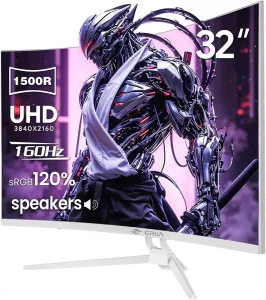
Best Gaming Television for PS5: Top 4 Picks in 2026
Not every gamer needs the same television. Some people want the ultimate OLED experience, while others prefer a more affordable screen with excellent gaming features.
Here are four models worth considering.
1. Samsung S95H OLED – Best Premium Gaming Experience
If picture quality is your biggest priority, the Samsung S95H OLED deserves serious attention.
This premium television uses QD-OLED technology, combining deep black levels with rich, vibrant colors. Its contrast makes dark environments look especially impressive.
Imagine exploring a dark cave in a game. Instead of seeing a washed-out gray background, you’ll notice stronger shadow detail and brighter highlights.
The Samsung S95H also offers excellent gaming responsiveness.
It supports 4K resolution, a native refresh rate of up to 165Hz, HDMI 2.1 connectivity, and variable refresh rate technology.
Although the PS5 cannot output 165 frames per second, the television can display compatible games at up to 120Hz.
Its matte screen finish is another useful advantage because it helps reduce reflections.
Why gamers may love it:
- Exceptional contrast and vibrant colors
- Smooth motion during fast gameplay
- Four HDMI 2.1 connections
- Very low input lag
- Effective reflection control
The main disadvantage is its premium price.
Our recommendation: Choose this television if you want a high-end gaming setup and don’t mind paying extra for picture quality.
2. LG C6 OLED – Best Overall Gaming TV
The LG C6 OLED offers an excellent combination of gaming performance, picture quality, and practical features.
Its OLED panel produces deep blacks and beautiful colors. Games with dramatic lighting, detailed landscapes, and nighttime environments look particularly impressive.
One of its biggest strengths is responsiveness.
OLED pixels change extremely quickly, helping moving objects remain clear during fast action scenes.
The television also supports HDMI 2.1, VRR, and up to 165Hz on supported models.
For PS5 owners, that means smooth 4K gaming at up to 120Hz when the game supports it.
LG’s gaming features make it convenient to adjust settings without navigating complicated menus.
Why it’s a strong choice:
- Beautiful 4K OLED picture
- Excellent motion clarity
- HDMI 2.1 gaming support
- Low input lag
- Strong performance for movies and games
One thing to remember is that its glossy screen may show reflections in bright rooms.
Our recommendation: The LG C6 is ideal for gamers who want a premium experience without necessarily choosing the most expensive flagship television.
3. LG B6 OLED – Best Mid-Range OLED Option
Want OLED picture quality without spending flagship money? The LG B6 could be a smart choice.
This television offers many features that make OLED displays attractive for gaming.
You get deep blacks, excellent contrast, and fast pixel response. These qualities help create a detailed and immersive picture.
It also supports 4K resolution, a native 120Hz refresh rate, HDMI 2.1, and VRR.
That makes it capable of handling important PlayStation 5 gaming features.
Compared with the LG C6, the B6 is not as bright. You may notice this difference when playing HDR games in a sunny room.
However, in a bedroom or darker entertainment space, it can still deliver an excellent experience.
Main advantages:
- Excellent OLED contrast
- Smooth 120Hz gaming
- Responsive performance
- HDMI 2.1 connectivity
- More accessible OLED pricing
Our recommendation: Consider the LG B6 if you mainly play indoors and want great picture quality at a more reasonable price.
4. TCL QM6K – Best Budget-Friendly Gaming TV
You don’t need an OLED television to have fun with your PS5.
The TCL QM6K is a good example of how a more affordable Mini LED television can provide useful gaming features.
Its Mini LED backlighting improves brightness and helps create better contrast than many ordinary budget LED displays.
This makes colorful games, sports titles, and bright outdoor environments look engaging.
The television also provides a native 120Hz refresh rate and variable refresh rate support.
These features are especially useful when playing compatible games that prioritize smoother movement.
Of course, its overall picture quality does not match expensive OLED televisions.
You may notice differences in viewing angles, dark-scene performance, and motion clarity.
Still, those compromises may be perfectly acceptable if you’re working with a limited budget.
What makes it appealing:
- Affordable Mini LED technology
- 4K resolution
- Native 120Hz gaming
- VRR support
- Good gaming value
Our recommendation: The TCL QM6K is worth considering if you want modern gaming features without overspending.
What Features Make the Best Gaming Television for PS5?
Before choosing a television, it’s helpful to understand which specifications genuinely affect gameplay.
Let’s explain the important ones without complicated technical language.
4K Resolution: Sharper and More Detailed Graphics
A 4K television has approximately 8.3 million pixels.
These pixels help display fine textures, detailed landscapes, and sharper character models.
The PS5 supports 4K video output, although individual games may render internally at different resolutions.
A quality 4K screen offers an excellent balance between picture detail and affordability.
You generally don’t need an 8K television specifically for PlayStation 5 gaming.
120Hz Refresh Rate: Smoother Movement
Refresh rate describes how often your television updates the picture.
A 60Hz display updates up to 60 times per second, while a 120Hz display can update up to 120 times.
The difference becomes easier to notice during fast movement.
For example, when quickly turning your camera in a shooting game, a higher frame rate can make the action appear smoother.
However, your game must support 120fps output to benefit fully.
A 120Hz television cannot automatically turn every 30fps game into a 120fps experience.
HDMI 2.1: Important for Modern Gaming
HDMI connects your console to the television.
For advanced PS5 gaming, look for HDMI inputs that support 4K at 120Hz.
HDMI 2.1 bandwidth is commonly associated with this capability.
But don’t assume every television advertising HDMI 2.1 supports exactly the same features.
Always confirm its supported resolution, refresh rate, and gaming capabilities.
Variable Refresh Rate: Fewer Visual Interruptions
Variable Refresh Rate, commonly called VRR, helps the television adjust its refresh timing to match the console’s frame output.
This can reduce screen tearing and make changes in frame rate less distracting.
It’s particularly helpful in games where performance varies during demanding scenes.
Input Lag: Faster Controller Response
Input lag measures the time between sending a command and seeing the result on your screen.
Lower input lag makes gameplay feel more responsive.
For example, when jumping over an obstacle or aiming at an opponent, a quicker response can improve the overall experience.
Look for televisions with a dedicated Game Mode and independently tested input lag.
OLED vs Mini LED: Which Is Better for Gaming?
Both technologies have advantages, but they suit different environments.
OLED televisions can turn individual pixels completely off. This creates extremely deep blacks and excellent contrast.
They’re especially attractive for cinematic adventures, dark environments, and players who appreciate picture quality.
OLED displays also offer very fast pixel response times.
Mini LED televisions use numerous small LEDs behind an LCD panel.
They can deliver impressive brightness, making them appealing for living rooms with sunlight or strong overhead lighting.
Mini LED models are also available at several different price levels.
If you play mostly at night, OLED might be your favorite.
If your gaming room is bright during the day, a good Mini LED television could be more practical.
Neither technology is automatically the right choice for everyone.
What TV Size Should You Choose for PS5?
Screen size can make a big difference in how comfortable and immersive gaming feels.
For smaller bedrooms or gaming desks, a 42-inch or 48-inch television may be enough.
A 55-inch television is a popular middle-ground option for many living rooms.
If you sit farther away, a 65-inch model can provide a more cinematic experience.
Larger televisions can work beautifully in spacious rooms, but they also require more space and money.
Don’t choose the biggest screen simply because it looks impressive in a store.
Think about where you’ll sit, how far your eyes will be from the screen, and whether you’ll use the TV for movies too.
A comfortable viewing distance matters more than following a strict size rule.
How to Set Up Your PS5 for the Best Picture
After purchasing your television, a few simple settings can help improve your experience.
First, connect the PS5 using a suitable HDMI cable and a television input that supports your desired gaming features.
Next, open the console settings.
- Go to Settings.
- Select Screen and Video.
- Open Video Output.
- Set resolution to Automatic.
- Enable 120Hz Output when supported.
- Enable VRR if available.
- Set HDR to On When Supported.
- Complete the Adjust HDR process.
Now check your television settings.
Enable Game Mode to reduce unnecessary image processing and improve responsiveness.
You may also want to adjust brightness depending on whether you play during the daytime or at night.
Avoid increasing artificial sharpness too much. Extremely high sharpness settings can create unnatural outlines.
For official help, visit the PlayStation support website.
Common Mistakes People Make When Buying a Gaming TV
Buying a television can be exciting, but it’s easy to focus on the wrong specifications.
The first common mistake is confusing advertised motion ratings with actual panel refresh rates.
A television may promote impressive motion numbers while still using a native 60Hz panel.
Another mistake is assuming every HDMI port supports 4K at 120Hz.
Some televisions only provide full gaming bandwidth through selected inputs.
People also overlook room brightness.
A glossy OLED screen might look stunning in a dark showroom but show distracting reflections near a sunny window.
Finally, don’t ignore the price difference between similar models.
Sometimes a slightly older or less expensive television offers everything your PS5 actually needs.
Researching these details before buying can save money and prevent disappointment.
Is a Premium Gaming TV Really Worth the Money?
That depends on how often you play and what matters most to you.
If you enjoy story-driven games with beautiful landscapes, a premium OLED television can make the experience more immersive.
You’ll appreciate deeper blacks, richer colors, and stronger contrast.
For competitive gaming, prioritize low input lag, motion clarity, and refresh rate support.
If you mainly play casually on weekends, an affordable 4K television with good Game Mode performance may be completely sufficient.
A more expensive TV doesn’t automatically make someone a better gamer.
The goal is to find a display that makes your favorite games enjoyable without putting unnecessary pressure on your budget.
Frequently Asked Questions
Is a 120Hz TV Necessary for PS5?
No. You can play PS5 games on a 60Hz television. However, 120Hz support allows smoother motion in compatible games.
Can PS5 Display 4K at 120FPS?
Yes, supported games can output up to 4K at 120fps. Actual performance and internal rendering resolution depend on the game.
Is OLED Better for PlayStation Gaming?
OLED offers excellent contrast and motion clarity. However, high-quality Mini LED televisions can be better suited to bright rooms and tighter budgets.
Does PS5 Support Dolby Vision Gaming?
The PS5 primarily uses HDR10 for HDR gaming. Dolby Vision support is not necessary to enjoy its standard HDR gaming features.
Can I Use a Regular Smart TV for PS5?
Yes. As long as your television has a compatible HDMI connection, you can use it with a PS5. Advanced gaming features depend on the particular television.
Which TV Is Best for Budget PS5 Gaming?
The TCL QM6K is one option worth researching because it combines 4K resolution with useful high-refresh-rate gaming features.
Final Thoughts: Find the Right TV for Your Gaming Style
Choosing the best gaming television for ps5 becomes much simpler when you focus on how you actually play.
If money isn’t a major concern, the Samsung S95H OLED delivers outstanding premium picture quality.
The LG C6 offers an excellent balance of advanced gaming performance and beautiful visuals.
The LG B6 is a smart option for players who want OLED without paying flagship prices.
Meanwhile, the TCL QM6K is worth exploring if affordability matters most.
Remember to compare refresh rates, HDMI support, input lag, screen brightness, and size before making your decision.
Most importantly, choose a television that suits your gaming habits, room, and budget.
For more helpful technology guides, television comparisons, and buying advice, explore the FordFast website.
Your next gaming upgrade doesn’t have to be complicated. The right screen can make every PlayStation session more enjoyable.